Getting a Phone Number
Your AI agent needs a phone number so customers can call it. Akol offers local and toll-free numbers in 30+ countries.
Buying a Number
Go to Phone Numbers
Navigate to Dashboard > Phone Numbers and click Buy Number.
Choose Your Country
Select your country from the dropdown.
Pick Local or Toll-Free
| Type | What It Is | Cost | Best For |
|---|---|---|---|
| Local | Has your area code | $3.99/month | Looks familiar to local customers |
| Toll-Free | 1-800 style number | $5.99/month | Free for callers, looks national |
Select Your Area (Optional)
For local numbers, you can pick:
- State — e.g., Texas, California
- Area Code — e.g., 512, 415
This gives you a number that matches your service area.
Browse and Select
You’ll see a list of available numbers. Pick the one you want.
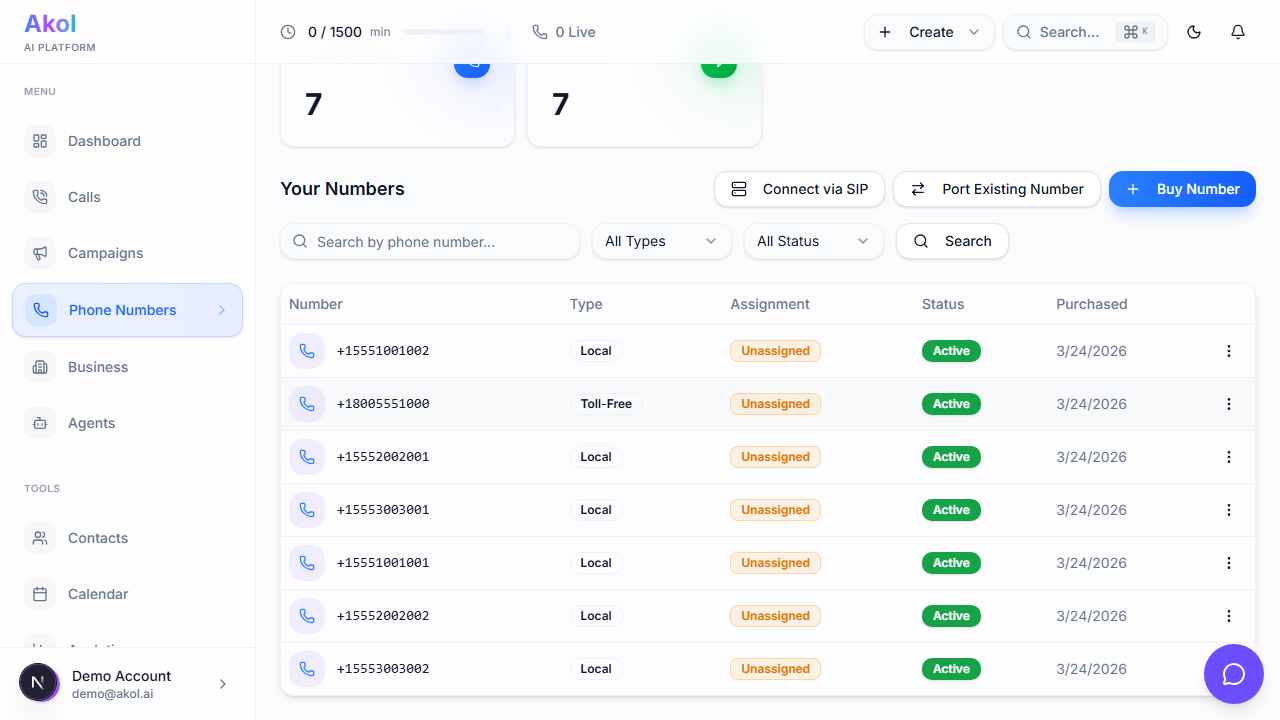
Assign to Your Agent
Choose which business and AI agent should answer calls to this number. You can also assign it later.
Complete Purchase
Click Continue to Checkout to finalize.
Your first phone number is included with paid plans. You can buy additional numbers anytime.
Which Type Should I Choose?
Local Numbers ($3.99/month)
Best if:
- You serve a specific city or region
- You want callers to see a familiar area code
- Your customers are mostly local
Toll-Free Numbers ($5.99/month)
Best if:
- You serve a wide area or multiple cities
- You want to look like a larger company
- You want callers to be able to reach you for free
Next Steps
- Forward your existing number → if you want to keep your current number
- Manage your numbers → to reassign or configure numbers
Last updated on