Call Recordings
Listen back to any call your AI agent handles. Recordings let you hear exactly how the conversation sounded.
Playing a Recording
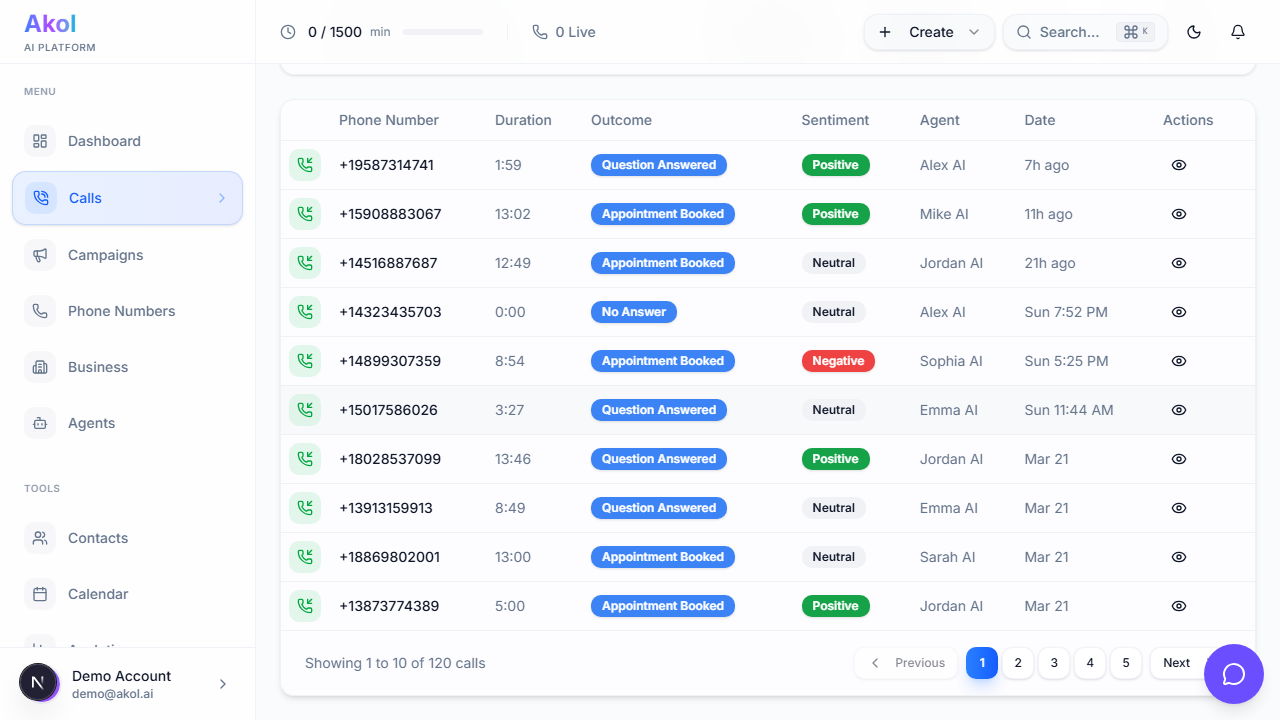
- Go to Dashboard > Calls
- Click on a call that has a recording (indicated by a play icon)
- Use the audio player to listen
Audio Player Features
The recording player includes:
- Play/Pause — Start and stop playback
- Skip forward/back — Jump 10 seconds in either direction
- Progress bar — Scrub to any point in the call
- Download — Save the recording file to your computer
- Time display — See current position and total duration
Click on any line in the transcript to jump to that part of the recording. This makes it easy to hear specific moments.
When Are Calls Recorded?
Call recording depends on your settings. You can enable or disable recording for your agents in the agent settings.
Recording Consent
If recording is enabled, it’s a good practice to include a notice in your agent’s greeting:
“Hi, thanks for calling [your business]. This call may be recorded for quality purposes. How can I help you today?”
Some states require two-party consent for recording. Check your local laws.
How Long Are Recordings Kept?
| Plan | Recording Retention |
|---|---|
| Free Plan | 7 days |
| Starter | 30 days |
| Pro | 90 days |
| Business | 365 days |
After the retention period, recordings are automatically deleted. Download any recordings you need to keep.
Downloading Recordings
To save a recording:
- Open the call detail page
- Click the Download button on the audio player
- The file will save to your computer
Using Recordings to Improve
Recordings are valuable for:
| Use Case | Why |
|---|---|
| Quality check | Hear how natural your agent sounds |
| Training | Identify areas where the agent can improve |
| Disputes | Verify what was said if there’s a disagreement |
| Team training | Share good examples with your team |
| Voice tuning | Decide if you want a different voice or speed |
Tips
- Listen to your first few calls — Make sure the voice and speed sound good
- Check negative sentiment calls — These often reveal issues to fix
- Download important recordings — Don’t rely on retention; save what matters
- Adjust voice speed if conversations sound too fast or slow