Analytics & Reports
Track how your AI phone agent is performing. See trends, spot issues early, and understand your call patterns.
Accessing Analytics
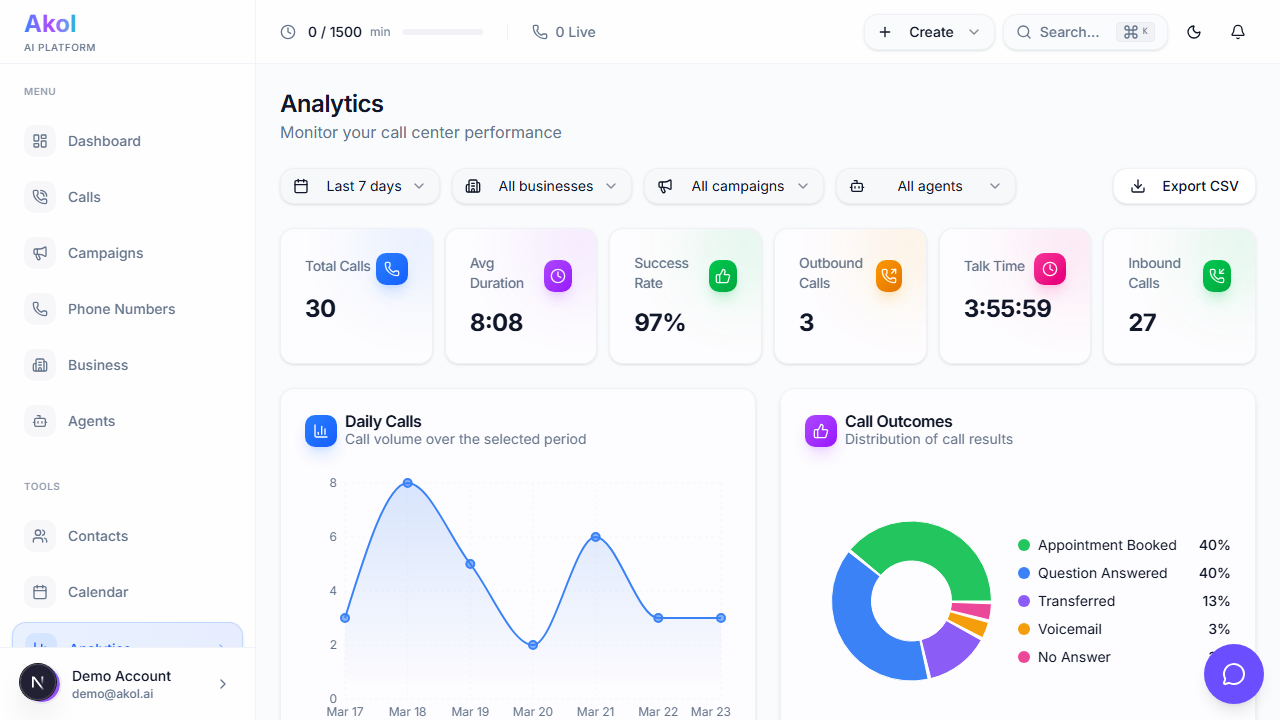
Go to Dashboard > Analytics from the sidebar.
Choosing a Time Range
Use the dropdown at the top to filter your data:
- Last 24 hours — Today’s activity
- Last 7 days — This week (default)
- Last 30 days — This month
- Last 90 days — This quarter
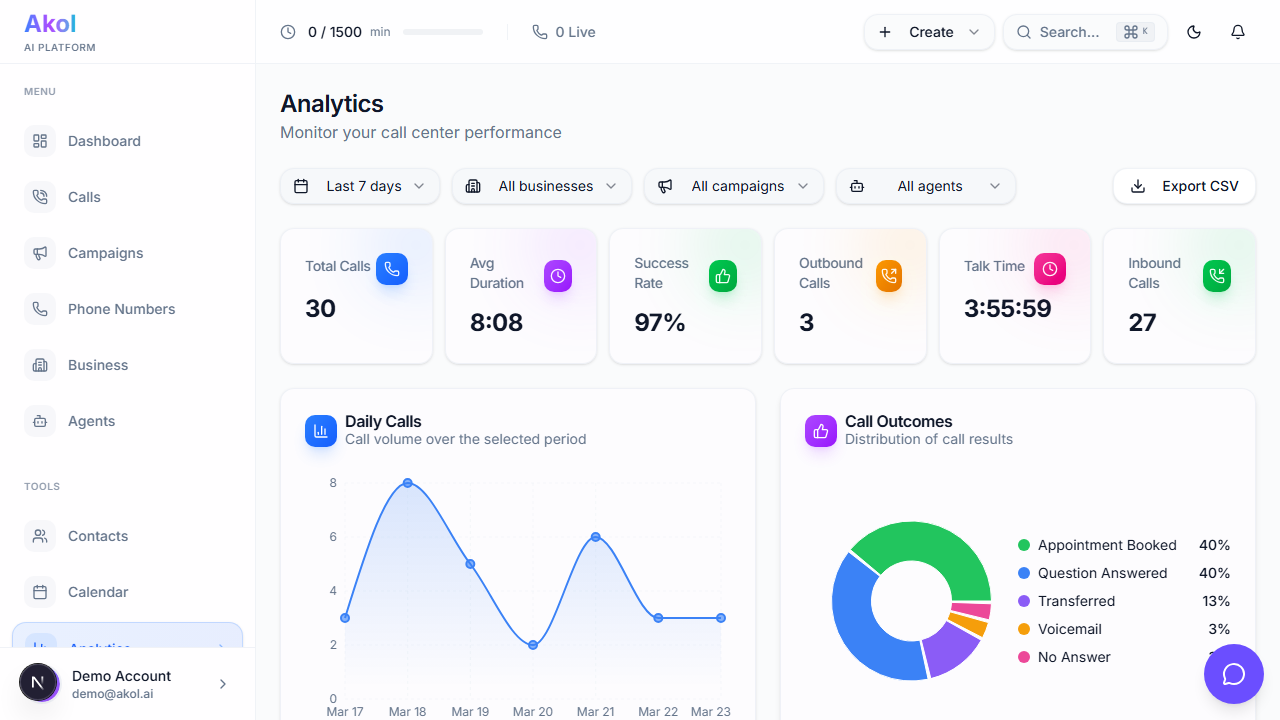
You can also filter by a specific agent or business if you have more than one.
Key Numbers
At the top, you’ll see your most important stats:
| Stat | What It Means |
|---|---|
| Total Calls | All calls your agent handled in this period |
| Inbound Calls | Calls from customers |
| Appointments Booked | Calls that led to a booking |
| Talk Time | Total time spent on calls |
| Success Rate | Percentage of calls with a positive outcome |
| Positive Sentiment | Percentage of callers who sounded happy |
Charts
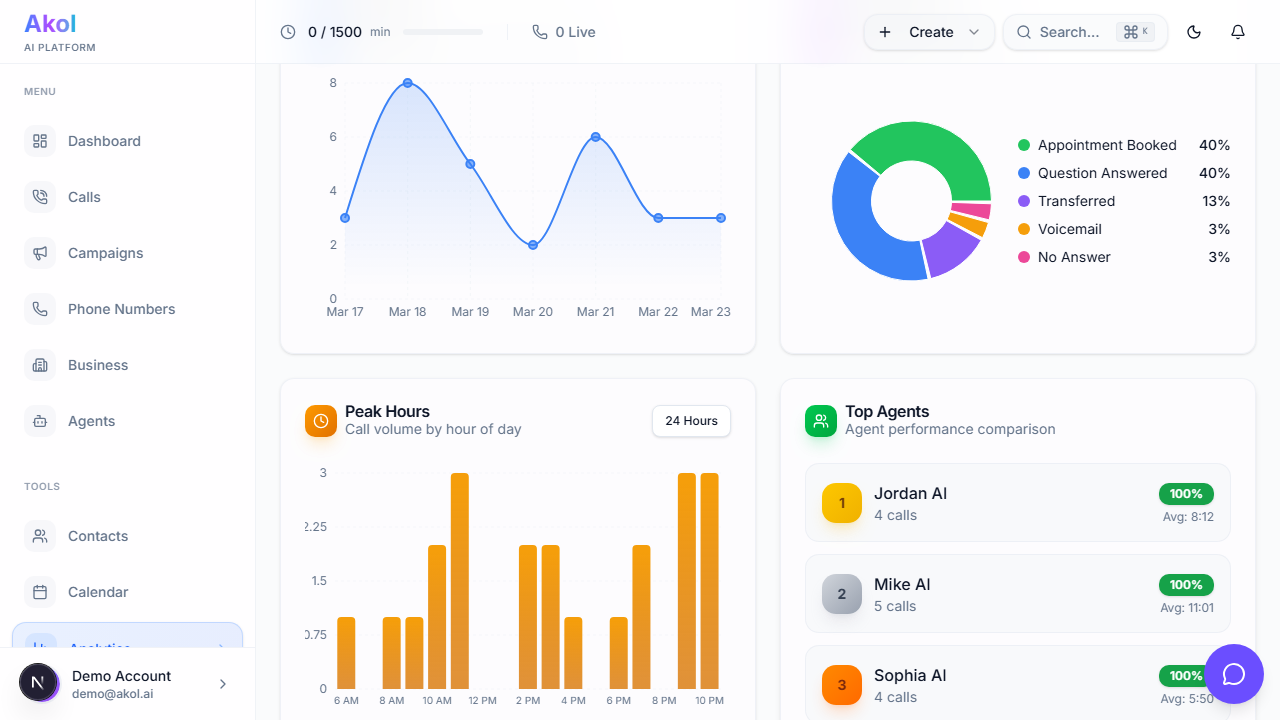
Calls Per Day
A bar chart showing how many calls you get each day. Use this to:
- See your busiest days — Maybe Mondays are packed
- Spot trends — Are calls increasing week over week?
- Plan your schedule — Know when to expect more work
Calls by Hour
See when calls come in throughout the day. This helps you:
- Know your peak hours — When most customers call
- Decide on after-hours coverage — Are you missing evening calls?
- Set expectations — Know when your agent will be busiest
Call Outcomes
A breakdown of how calls ended:
- Appointment booked
- Question answered
- Message taken
- Transferred to you
- Missed
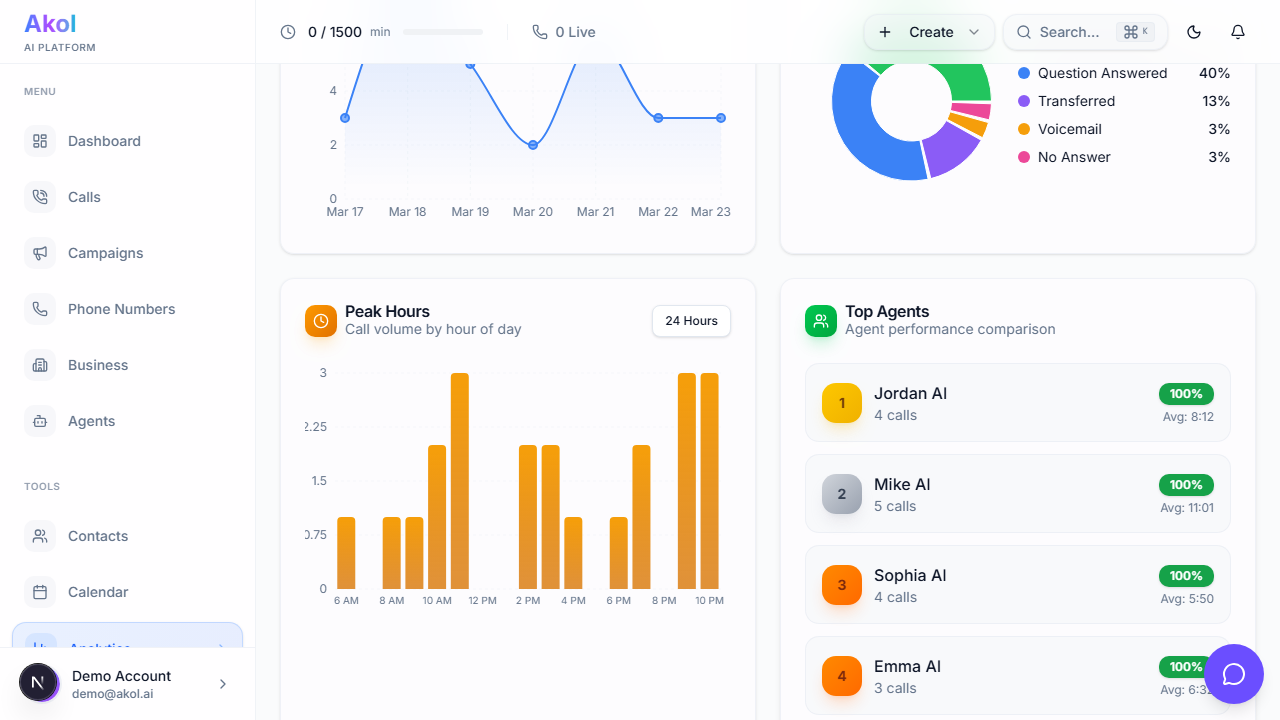
This tells you what your callers need most.
Exporting Reports
Click the Export button to download your analytics as a spreadsheet. You can:
- Create monthly reports
- Share data with a business partner
- Track your growth over time
What Good Numbers Look Like
Here are general benchmarks across industries. Your numbers will vary based on your business type and call volume.
| Metric | Good | Great |
|---|---|---|
| Answered rate | 90%+ | 98%+ |
| Appointment/booking rate | 20-30% | 40%+ |
| Positive sentiment | 70%+ | 85%+ |
| Average call duration | 2-5 min | 3-4 min |
Don’t worry if your numbers aren’t great at first. They improve as you refine your agent’s instructions and add more details to your business profile.
Tips
- Check analytics weekly — Spot trends before they become problems
- Compare week over week — See if changes you made are helping
- Focus on your key conversion metric — For most businesses, this is the appointment or booking rate
- Export monthly — Keep a record of your growth