Managing Your Numbers
View, configure, and manage all your phone numbers from the dashboard.
Your Phone Numbers Page
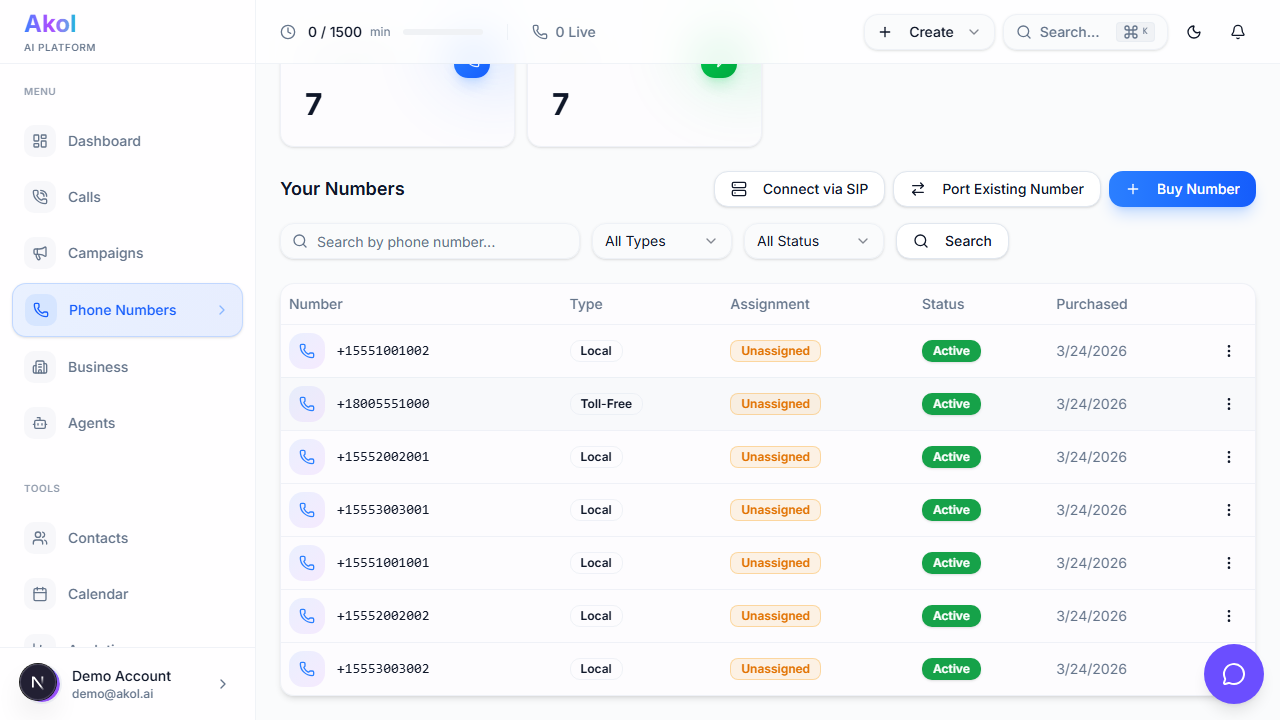
Go to Dashboard > Phone Numbers to see all your numbers.
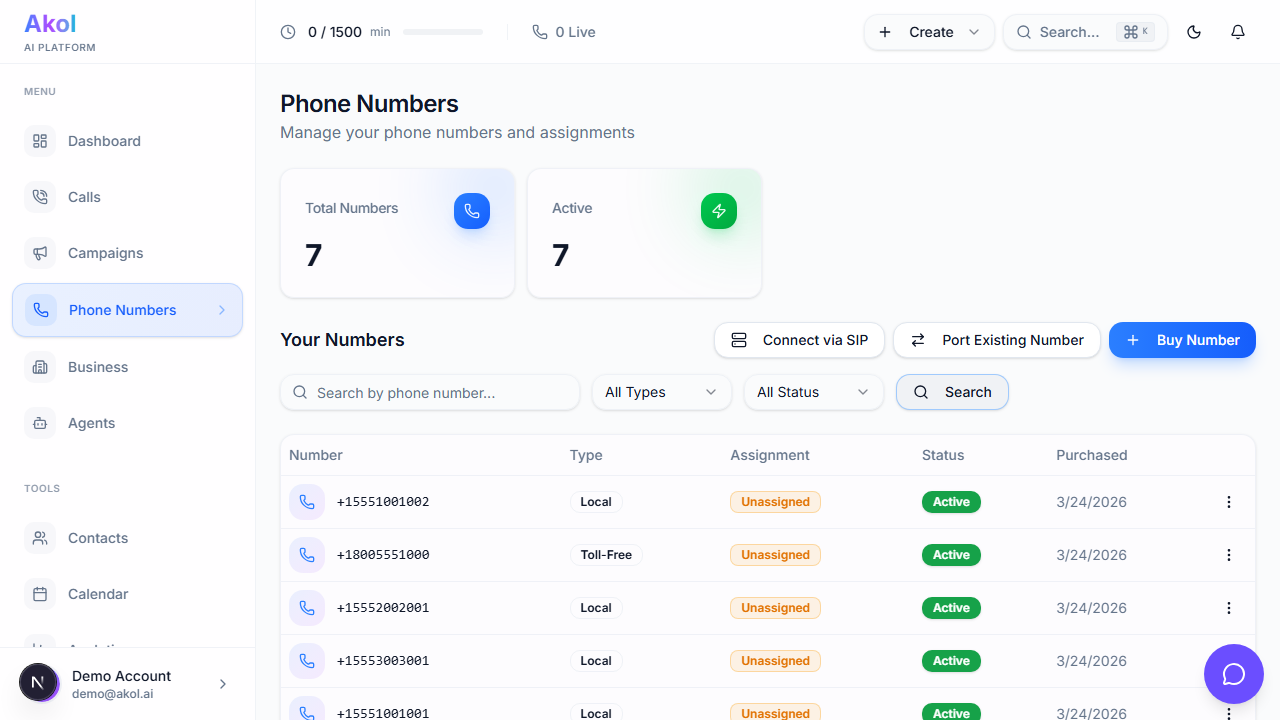
For each number, you’ll see:
- Phone number — The actual number
- Type — Local or Toll-Free
- Assignment — Which campaign this number is assigned to
- Status — Active or Inactive
- Monthly cost — How much it costs per month
Changing the Assignment
Phone numbers are assigned to campaigns. To change which campaign a number is linked to:
- Click on the phone number
- Update the campaign assignment
- Save your changes
Pausing a Number
If you want to temporarily stop a number from receiving calls:
- Find the number in your list
- Toggle the Status to Inactive
The number stays assigned to your account but won’t answer calls. Toggle it back to Active when you’re ready.
Pausing a number doesn’t cancel it. You’ll still be billed for the monthly fee. Use this for temporary situations like vacations.
Releasing a Number
If you no longer need a number:
- Click on the number
- Select Release (or Delete)
- Confirm the release
Releasing a number is permanent. The number goes back into the pool and someone else may claim it. If you want to keep the number but stop calls, use the Pause/Inactive option instead.
How Many Numbers Can I Have?
All plans — including the Free Plan — include unlimited phone numbers.
Multiple Numbers for One Business
You can have multiple numbers pointing to the same agent. This is useful if you:
- Want a local number AND a toll-free number
- Serve multiple area codes
- Want different tracking numbers for different marketing channels
Stats
At the top of the Phone Numbers page, you’ll see:
- Total Numbers — How many numbers you own
- Active Numbers — How many are currently active
Tips
- Assign every number to an agent — Numbers without agents won’t answer calls
- Use local area codes — Customers are more likely to answer calls from familiar area codes
- Keep track of which number goes where — If you use multiple numbers, keep notes on what each one is for