Creating Your First AI Agent
Your AI agent is the voice that answers your phone. Here’s how to set one up in about 2 minutes.
What You’ll Set Up
- Agent name — Give your agent a name (like “Sarah” or “Mike”)
- Voice — Choose how your agent sounds
- Speaking speed — Adjust how fast or slow it talks
- Instructions — Tell it about your business
Create Your Agent
Go to Agent Setup
Navigate to Dashboard > Agents and click Create Agent (or New Agent).
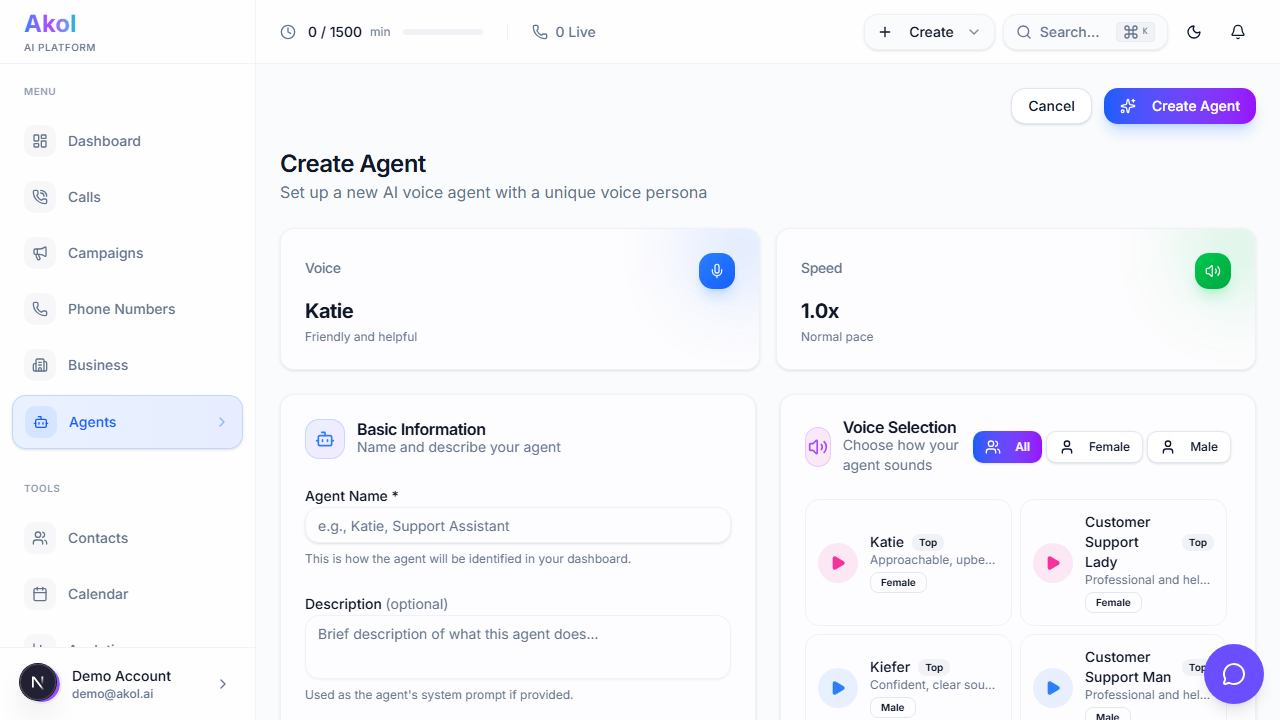
Choose a Name
Give your agent a name that sounds natural. This is what it’ll use when greeting callers.
Good names: Sarah, Mike, Alex, Chris, Emma Tip: Pick a name that fits your business personality.
Pick a Voice
Browse the voice library and listen to samples. You can:
- Filter by gender — Click Female or Male to narrow down options
- Preview voices — Click the play button on any voice to hear a sample
- Select your favorite — Click on a voice card to select it
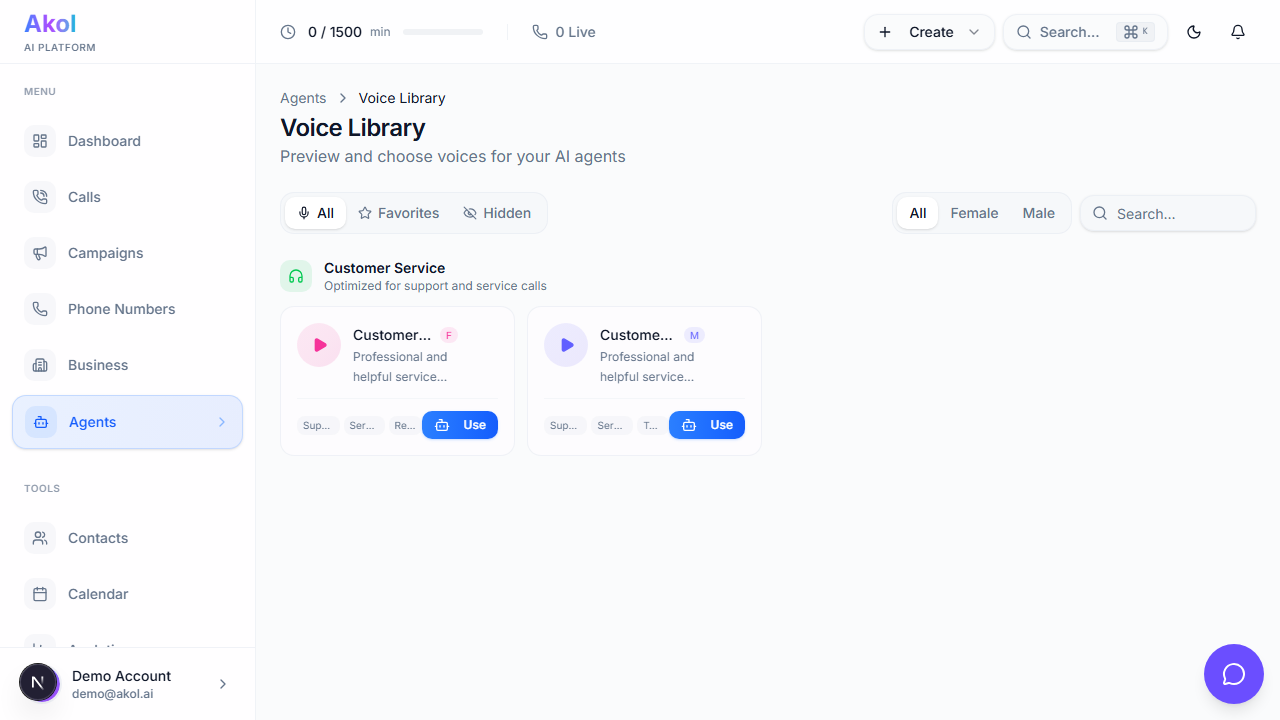
Each voice has a unique personality — some are warm and friendly, others are professional and clear. Pick the one that best represents your business.
You can change the voice anytime. Try a few different options and see which one your customers respond best to.
Set Speaking Speed
Use the speed slider to adjust how fast your agent talks:
- Slower (0.5x–0.8x) — Good for complex information like addresses or prices
- Normal (1.0x) — Natural conversational speed (recommended)
- Faster (1.2x–2.0x) — Quicker pace for simple interactions
Start with 1.0x and adjust based on customer feedback.
Add a Description (Optional)
Add any extra instructions for your agent. This is where you can describe:
- Your agent’s personality (“Be friendly and casual” or “Be professional and formal”)
- Special instructions (“Always offer same-day service for emergencies”)
- Things to avoid (“Never promise exact arrival times”)
Example for a plumber:
You are Sarah, a friendly receptionist for Smith Plumbing. Be warm and helpful. When someone calls about an emergency, emphasize that we offer same-day service. For non-emergency calls, try to schedule an appointment. If you’re not sure about something, offer to have a plumber call them back.
Click Create Agent
Click the Create Agent button. Your agent is now ready.
Tips for a Great Agent
Write a Good Greeting
Your greeting is the first thing callers hear. Make it natural and include your business name:
“Hi, thanks for calling Smith Plumbing! This is Sarah, how can I help you today?”
Keep Instructions Clear
Your agent works best with clear, specific instructions. Tell it:
- What to do — “Book appointments,” “Answer questions about services”
- What to say — “Our emergency rate is $250”
- When to transfer — “Transfer to the owner for complaints or large projects”
- What NOT to do — “Don’t give exact quotes without seeing the job”
Start Simple
You don’t need to write perfect instructions right away. Start with the basics and improve them over time based on how calls go.
What’s Next?
Your agent is created but doesn’t have a phone number yet. Let’s get a phone number → so customers can call.